
Free Video Downloader – Save Videos from Multiple Platforms Easily Online
Videos have become one of the most common ways to learn, communicate, entertain, and share ideas online. From short tutorials and educational clips to travel inspiration, recipes, interviews, product demonstrations, and professional discussions, useful video content is available across many different platforms.
The problem begins when you want to watch a useful video again but cannot easily find the original post, have limited internet access, or simply want to keep your own or permitted content available offline.
This is where an online free video downloader can be useful.
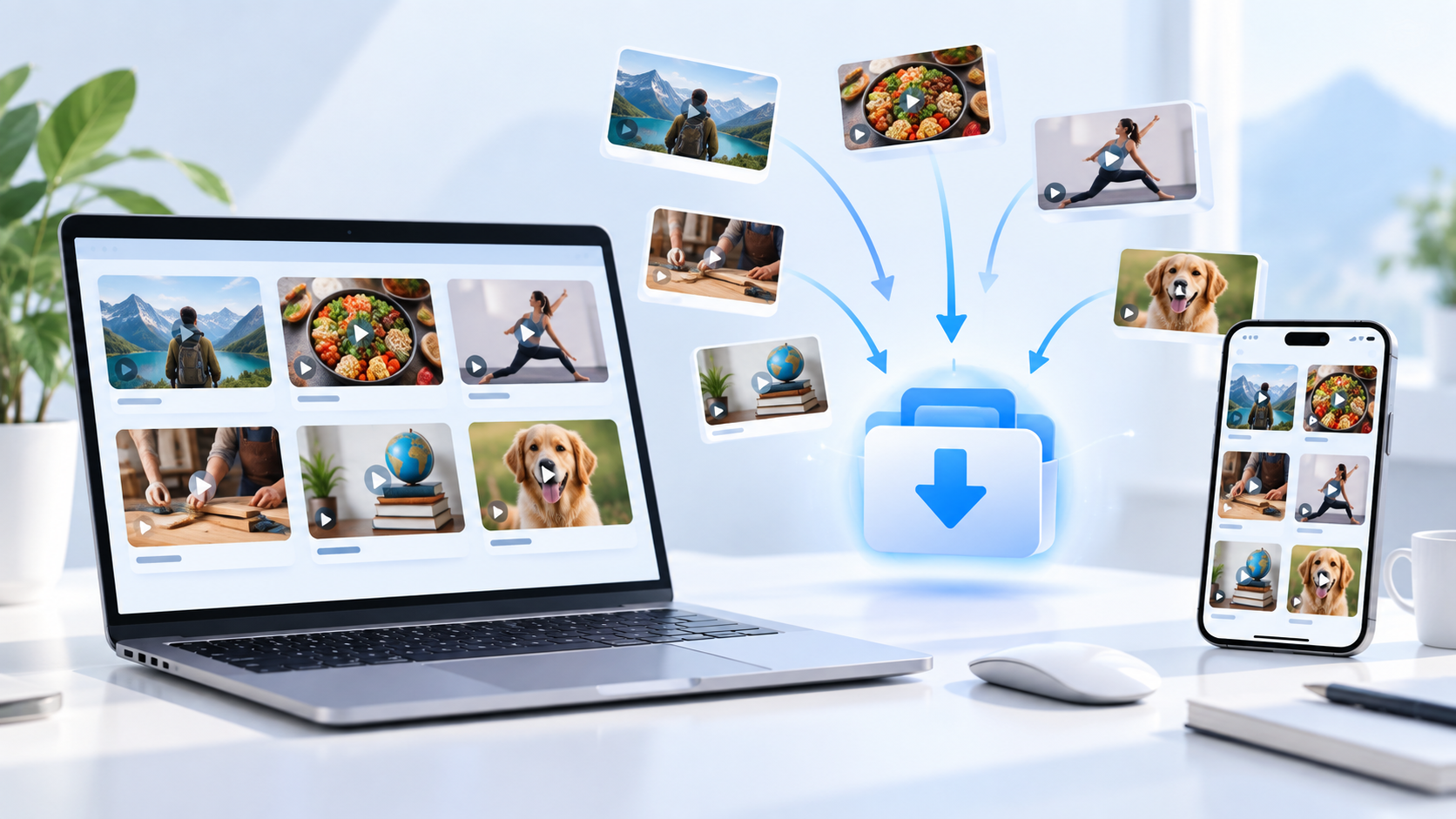
Instead of installing separate applications for different websites, a browser-based downloader can provide a simpler workflow: copy the link of a publicly accessible video, paste it into the downloader, choose an available format or quality, and save the file to your device.
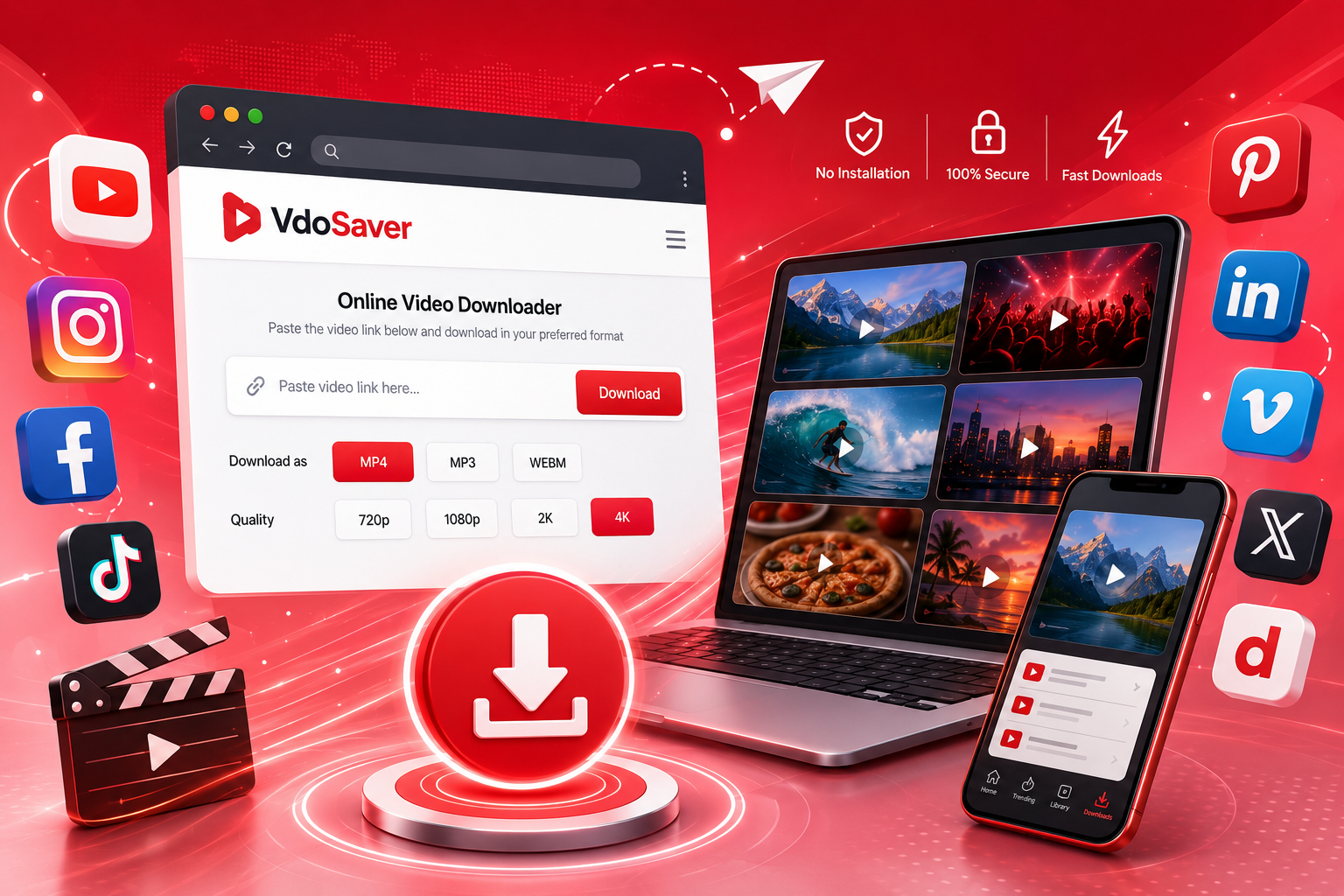
A multi-platform solution such as VdoSaver is designed around this idea. It provides a single place to process links from several popular video and social platforms without requiring users to switch between multiple tools.
In this guide, we will look at how online video downloading works, when it can be useful, which types of platforms can be supported, how to choose the right video quality, and what users should consider before saving online content.
What Is a Free Video Downloader?
A free video downloader is an online tool that helps users save supported video content to their device using the video's public link.
In most cases, there is no need to manually search through page code or install complicated desktop software.
The general process is straightforward:
Find the video you want to save.
Copy its public URL.
Paste the URL into the video downloader.
Allow the tool to process the link.
Select an available video quality or format.
Save the file to your device.
This type of workflow can be particularly helpful for people who regularly move between different websites and want a more consistent way to manage permitted offline videos.
The exact formats and qualities available depend on the original source. If a video is published in a lower resolution, downloading it cannot magically create a true high-resolution version. Similarly, private, restricted, removed, or protected content may not be available for processing.
Why Do People Save Online Videos?
There is no single reason people download videos.
Different users have different needs.
A student may want access to an educational clip while travelling. A content creator may want a backup of a video they originally published. A designer may keep permitted visual references for a project. A professional may save a public presentation they have permission to retain.
Here are some common situations.
Use Case | Why Saving the Video Can Help |
|---|---|
Offline viewing | Watch useful content when internet access is limited |
Personal backups | Keep copies of videos you created or uploaded |
Study material | Revisit permitted tutorials or educational resources |
Creative references | Organize inspiration for design, editing, travel or projects |
Work resources | Keep permitted presentations, demos or training material accessible |
Travel | Reduce dependence on mobile data while travelling |
Research | Review publicly available reference material more conveniently |
Archiving your own content | Maintain local copies of content published on social platforms |
The important point is that downloading should be done responsibly.
Users should have the right or permission to save and use the content. Downloading a file does not transfer ownership of the original video or grant permission to redistribute it.
One Downloader for Multiple Platforms
One of the biggest inconveniences with online video content is that it is spread across many different websites.
You may find a recipe on one platform, an educational clip on another, a professional video somewhere else, and a travel idea on a visual discovery platform.
Using a separate downloader every time adds unnecessary steps.
A multi-platform video downloader aims to simplify this by providing one familiar process regardless of where a supported video comes from.
Commonly Supported Platform Types
VdoSaver currently provides dedicated options for several widely used platforms.
Platform | Common Type of Content |
|---|---|
YouTube | Videos, tutorials, educational content and short-form videos |
Reels, video posts and other public media | |
Public videos and reels | |
TikTok | Short-form public videos |
Visual ideas and video Pins | |
Professional and business videos | |
Dailymotion | General video content |
Support can change over time because third-party platforms regularly update their websites, APIs, playback systems, and access rules.
That is why it is useful to use a downloader that actively supports multiple sources rather than relying on a workflow built around only one platform.
How Does an Online Video Downloader Work?
From the user's perspective, video downloading looks simple.
You provide a link and receive available download choices.
Behind the interface, however, several steps may happen.
Step 1: The Video URL Is Identified
The tool first examines the URL to determine which supported website it belongs to.
For example, links from Pinterest, TikTok, Facebook, or LinkedIn follow different URL structures.
Automatically detecting the platform saves users from manually choosing different conversion processes.
Step 2: Available Media Information Is Retrieved
The downloader then checks what publicly accessible media streams or formats are associated with that page.
Depending on the source, several versions of the video may be available.
These could differ by:
Resolution
File size
Video format
Audio availability
Frame rate
Not every video will offer every possible option.
Step 3: Available Download Choices Are Displayed
Once processing is complete, the tool can show the formats that are actually available for that particular source video.
This is useful because users do not always need the largest file.
Someone saving a short reference video on a phone may prefer a smaller file, while someone viewing the same clip on a larger display may prefer higher resolution.
Step 4: The File Is Saved
After selecting an available option, the user can save the media file through the browser.
This keeps the workflow simple and avoids the need for dedicated downloading software for basic use cases.
How to Download a Video Online
Although interfaces vary slightly between tools, the basic process is usually similar.
1. Open the Original Video
Start by opening the video on its original platform.
Make sure the content is publicly accessible and that you are permitted to download it.
2. Copy the Video Link
Most platforms provide a Share option.
Look for:
Share → Copy Link
On desktop browsers, you may also be able to copy the URL directly from the address bar.
3. Open the Video Downloader
Open the downloader in your web browser.
There is usually a URL field near the top of the page.
4. Paste the Link
Paste the copied link into the available input field.
Double-check that the entire URL has been copied correctly.
Incomplete or modified URLs may not process successfully.
5. Process the Video
Select the download or processing option.
The tool will attempt to detect the platform and identify the media associated with the link.
6. Choose an Available Quality
Depending on the source, you may see several resolutions.
Choose based on how you plan to use the video.
7. Save the File
Once the appropriate version is selected, save it to your device.
It can then be opened through your device's normal video player or file manager.
Understanding Video Quality Before You Download
Many users automatically select the highest number available.
That is not always necessary.
A higher resolution normally creates a larger file, and the difference may not be noticeable on a small screen.
Here is a simple guide.
Resolution | Typical Use |
|---|---|
360p | Small screens or situations where file size matters |
480p | Basic offline viewing |
720p HD | Good balance between clarity and size |
1080p Full HD | Larger screens and clearer viewing |
1440p | High-resolution displays when the source supports it |
2160p / 4K | Large screens and high-detail source videos |
Availability depends entirely on the original upload.
If the creator published the video at 720p, selecting a downloader cannot generate authentic 4K detail from that source.
For normal phone viewing, 720p or 1080p is usually enough for many situations.
Higher Quality vs Smaller File Size
There is always a trade-off between video quality and storage.
Consider these factors before choosing a resolution.
Choose a Smaller File When:
Your device has limited storage
You only need a quick reference
The video will mainly be watched on a phone
You are storing many videos
You plan to transfer the file frequently
Choose Higher Quality When:
Visual detail matters
You are using a tablet, laptop, monitor, or television
The original content includes small text
You have enough available storage
You have permission to retain a high-quality source copy
There is no universal "best quality."
The best choice depends on the purpose.
Save Pinterest Videos for Ideas and References
Pinterest is different from many traditional video platforms because people often use it to discover and organize ideas.
Video Pins can cover topics such as:
Recipes
DIY projects
Home decoration
Fashion
Travel
Fitness
Crafts
Photography
Design
Tutorials
Suppose you are planning a room makeover and find a short video demonstrating a useful decoration technique.
Saving a permitted copy for personal reference can make it easier to revisit the idea while working on the project.
The same applies to recipes, craft tutorials, workout ideas, and travel planning.
For supported public video Pins, a dedicated Pinterest Video Downloader provides a more focused way to process the Pin URL.
As with any platform, users should respect the original creator's rights and avoid reposting their content without permission.
Downloading Videos on a Mobile Device
A browser-based downloader can be particularly useful on smartphones because users do not necessarily need to install another application.
The process is broadly similar on Android and iPhone.
On Android
Open the video in the platform's app or browser.
Tap Share.
Select Copy Link.
Open your browser.
Open the video downloader.
Paste the link.
Choose an available quality.
Save the file.
The downloaded file will usually be available through your browser downloads or file manager.
On iPhone or iPad
The overall workflow is similar:
Copy the public video link.
Open Safari or another supported browser.
Paste the link into the downloader.
Process the URL.
Select the available format.
Save the file using the browser's download controls.
Depending on the iOS version and browser settings, the downloaded file may appear in the Files application rather than directly inside Photos.
Download Videos on Desktop
Desktop browsers can provide an easier experience when you are managing multiple files.
The larger display also makes it easier to compare different quality options.
The basic workflow is:
Open video → Copy URL → Open downloader → Paste URL → Select quality → Save
Desktop downloading may be preferable if:
You are organizing multiple permitted videos
You have more local storage available
You want to transfer files to another device
You need to review video details on a larger screen
You are backing up your own published content
Browser-Based Downloader vs Downloading Software
Users often have a choice between online tools and installed software.
Each approach has advantages.
Feature | Browser-Based Downloader | Installed Software |
|---|---|---|
Installation required | No | Usually yes |
Quick one-time use | Very convenient | Less convenient |
Device storage needed for app | No | Yes |
Works across devices | Usually | Depends on software |
Updates | Usually handled online | May require app updates |
Learning curve | Low | Can be higher |
Useful for occasional downloads | Yes | Sometimes unnecessary |
Advanced bulk workflows | Depends on tool | Often stronger |
For someone who occasionally needs to save a permitted online video, browser-based tools are generally simpler.
Installed applications may make more sense for specialized professional workflows that require advanced file management or editing.
Why a Browser-Based Video Downloader Is Convenient
The main benefit is not simply downloading.
It is reducing unnecessary steps.
No Separate App for Every Platform
Users do not need one application for Pinterest, another for TikTok, another for LinkedIn, and another for general videos.
A multi-platform interface can handle several supported sources from one location.
No Account Creation for Basic Use
A simple link-based workflow can avoid lengthy signup processes.
This is useful for people who only need to process an occasional public video.
Works Across Devices
Because the service runs through a browser, it can be accessed from different devices without learning a completely new workflow.
Easy for Beginners
Copying and pasting a link is familiar to most internet users.
There is no need to understand video codecs, streaming protocols, or page source code.
Useful Situations for Students
Students frequently use video resources while learning.
Examples include:
Language tutorials
Coding lessons
Science demonstrations
Public lectures
Educational explainers
Study techniques
Career guidance
When the creator or platform permits downloading, keeping selected educational videos offline can be useful during travel or in locations with unreliable internet access.
However, downloaded material should complement proper study resources rather than replacing them.
Important information should always be checked against reliable academic or primary sources.
Useful Situations for Content Creators
Content creators often publish their own work on more than one platform.
Maintaining local backups is good practice.
A creator might need to recover:
An older short video
A previously uploaded tutorial
A social campaign video
A portfolio clip
An original presentation
A public video that they personally produced
Having a copy available locally can simplify future editing, archiving, or portfolio management.
The key distinction is ownership.
Downloading your own content or material you have explicit permission to use is very different from downloading another creator's work and republishing it without consent.
Useful Situations for Designers and Creative Teams
Designers often build inspiration libraries.
These may contain references for:
Motion graphics
UI animation
Typography
Photography
Interior design
Fashion
Advertising
Product presentation
A video can sometimes communicate an idea more effectively than a static screenshot.
When usage rights allow, saving useful references makes it easier to organize research around a particular project.
Again, reference material should not be copied directly into commercial work unless its licence allows such use.
Useful Situations for Professionals
Video is increasingly used for professional communication.
Publicly available content might include:
Industry discussions
Interviews
Product demonstrations
Conference highlights
Business presentations
Career advice
Public training material
Professionals may want to keep permitted resources available for later reference.
LinkedIn, for example, contains many short professional videos that may be useful for industry research.
A multi-platform downloader means users do not have to change their workflow every time the source website changes.
What Makes a Good Online Video Downloader?
Not every downloading experience is equally useful.
Several factors matter.
1. Simple Interface
Users should immediately understand where to paste the URL and how to proceed.
Too many unnecessary controls make a basic task more confusing.
2. Multiple Platform Support
A downloader becomes more useful when it works with several popular sources.
3. Quality Choices
Different users have different storage and viewing requirements.
Providing available resolution choices gives users more control.
4. Mobile Compatibility
A large amount of social video discovery happens on smartphones.
A downloader should therefore work comfortably in mobile browsers.
5. Clear Download Process
Users should be able to tell which button starts processing and which option saves the actual file.
6. No Unnecessary Account Requirement
For a straightforward link-processing task, mandatory account creation adds friction.
7. Transparency
Users should understand what the tool can and cannot do.
Private, deleted, restricted, DRM-protected, or unsupported content should not be presented as guaranteed downloads.
Common Reasons a Video Link May Not Work
Sometimes a URL cannot be processed.
This does not necessarily mean something is wrong with your device.
Here are several common reasons.
Issue | Possible Reason | What to Check |
|---|---|---|
URL not detected | Link copied incorrectly | Copy the complete URL again |
Video unavailable | Original post was removed | Open the source link first |
Private content | Post requires account permission | Use only publicly accessible content |
No quality options | Source format is limited | Check the original video quality |
Processing fails | Platform recently changed its system | Try again later |
Browser issue | Cached data or compatibility problem | Try another modern browser |
Download does not appear | Browser blocked the file | Check browser download settings |
Because social and video platforms continuously update their infrastructure, temporary compatibility issues can occur even when a platform is normally supported.
Public Videos vs Private Videos
This difference is important.
A video being visible to you does not always mean it is publicly accessible.
For example, content might require:
Login
Membership
Private group access
Subscription
Creator approval
Organisation access
Paid account access
A responsible downloader should not be treated as a method for bypassing these restrictions.
If a video is behind access controls, the correct approach is to use the options provided by the original platform or obtain permission from the rights holder.
Can You Download Any Video From the Internet?
No.
The phrase "video downloader" should not be interpreted as meaning every video on every website can or should be downloaded.
Availability can depend on:
Whether the website is supported
Whether the video is public
How the media is delivered
Whether access controls exist
Whether the original post still exists
Platform technical changes
Copyright or licence restrictions
Users should avoid tools that promise to bypass every restriction.
That is neither realistic nor responsible.
Is It Legal to Download Online Videos?
There is no universal answer that applies to every video, platform, and country.
Copyright laws and platform terms can differ.
A safer approach is to download only when you clearly have permission.
Examples may include:
Videos you created yourself
Videos for which the creator gave you permission
Public-domain material
Content distributed under a licence that permits downloading
Media explicitly provided for download
Saving a video should not be treated as permission to reproduce, sell, redistribute, or republish it.
Many social and video platforms also have their own terms regarding third-party downloading.
Before downloading or reusing content, users should review the relevant platform rules and the rights attached to the original material.
Respect Content Creators
Videos may take hours or even days to plan, record, edit, and publish.
If another creator made the content, their rights should be respected.
Avoid:
Reuploading videos as your own
Removing creator attribution where required
Using copyrighted clips commercially without permission
Selling downloaded material
Building compilation videos from content you do not own
Using other people's work in advertising without authorization
Downloading for an allowed personal purpose and republishing someone else's work are not the same thing.
Tips for Organizing Downloaded Videos
Once several videos are stored on a device, organization becomes important.
Instead of keeping dozens of files named "video1.mp4" or "download.mp4," create a simple system.
Use Clear File Names
For example:
recipe-pasta-reference.mp4
is easier to recognize later than:
video_438290.mp4
Create Topic Folders
Possible folders include:
Study
Work
Travel
Recipes
Design References
Tutorials
Personal Videos
Remove Files You No Longer Need
Offline videos can quickly consume storage.
Periodically review the downloads folder and delete files that are no longer useful.
Keep Important Original Files Backed Up
If the video is your own content, store important originals in more than one location.
Downloaded social-platform copies should not always be treated as the only permanent archive.
Video Downloading and Storage Management
High-quality video consumes considerably more space than documents or photos.
If storage is limited, consider whether you really need the highest resolution.
For a short reference clip watched on a smartphone, a smaller version may be perfectly adequate.
For important original footage or detailed visual content, keeping a higher-quality version may make sense.
The right balance depends on:
Quality + Device + Purpose + Available Storage
A Simple Multi-Platform Workflow
For most users, the ideal workflow should remain simple.
Step | Action |
|---|---|
1 | Find the public video |
2 | Confirm you have permission to save it |
3 | Copy the video URL |
4 | Paste it into a supported downloader |
5 | Review available formats |
6 | Choose a suitable resolution |
7 | Save the file |
8 | Organize or delete it when no longer required |
A tool should make these steps easier rather than adding unnecessary complexity.
Should You Use a Different Downloader for Every Platform?
Usually, there is little benefit if one service already supports the platforms you commonly use.
Switching between separate websites creates several problems:
Different interfaces
Different quality settings
Different download processes
More bookmarks to manage
More time spent finding the correct tool
A multi-platform approach creates consistency.
Whether the video comes from a professional network, visual discovery platform, short-video service, or general video platform, the workflow remains familiar.
That is one of the main reasons an online free video downloader can be useful for everyday users.
How to Choose the Right Video Downloader
Before using any online service, check a few basic things.
Does It Support the Platform You Need?
Start with the obvious question.
If your most frequently used sources are Pinterest, LinkedIn, Instagram, Facebook, TikTok, Dailymotion, or YouTube, make sure they are actually supported.
Does It Work on Your Device?
The interface should work on both desktop and mobile if you regularly switch between devices.
Does It Offer Useful Quality Options?
Being able to choose between available resolutions helps manage file size.
Is the Process Easy to Understand?
A downloader should not require a tutorial just to process one video link.
Does It Require Unnecessary Software?
For occasional downloads, browser access is generally more convenient than installing another program.
Does It Clearly Explain Limitations?
No downloader can guarantee every private, restricted, removed, or protected video.
Clear limitations are a positive sign.
Final Thoughts
Online video is spread across dozens of websites, but managing useful video references does not need to be complicated.
A good multi-platform video downloader creates a consistent process:
Find → Copy → Paste → Choose → Save
That simplicity can be useful whether you are storing your own social videos, keeping permitted educational resources available offline, organizing creative references, or saving useful content for later viewing.
The most important thing is to use downloading tools responsibly.
Respect platform rules, content licences, privacy controls, and the rights of original creators. Download only material that you own or are legally permitted to save.
When those conditions are met, having one browser-based tool for multiple supported sources can be much more convenient than searching for a separate solution every time you find a useful video.
For supported public content, you can start from the VdoSaver free video downloader and use the platform option that matches the source of your video.