
One Inbox: Email Manager: A Smarter Way to Manage Multiple Email Accounts
Managing email can become surprisingly difficult when you use separate accounts for work, personal communication, shopping, subscriptions, freelancing, and other activities. Switching between different apps and inboxes throughout the day can make it harder to keep track of important messages, remember follow-ups, and respond quickly.
This is where a unified email management solution can make a difference. Instead of opening several apps to check different accounts, users can bring their email accounts together and manage them from one place.
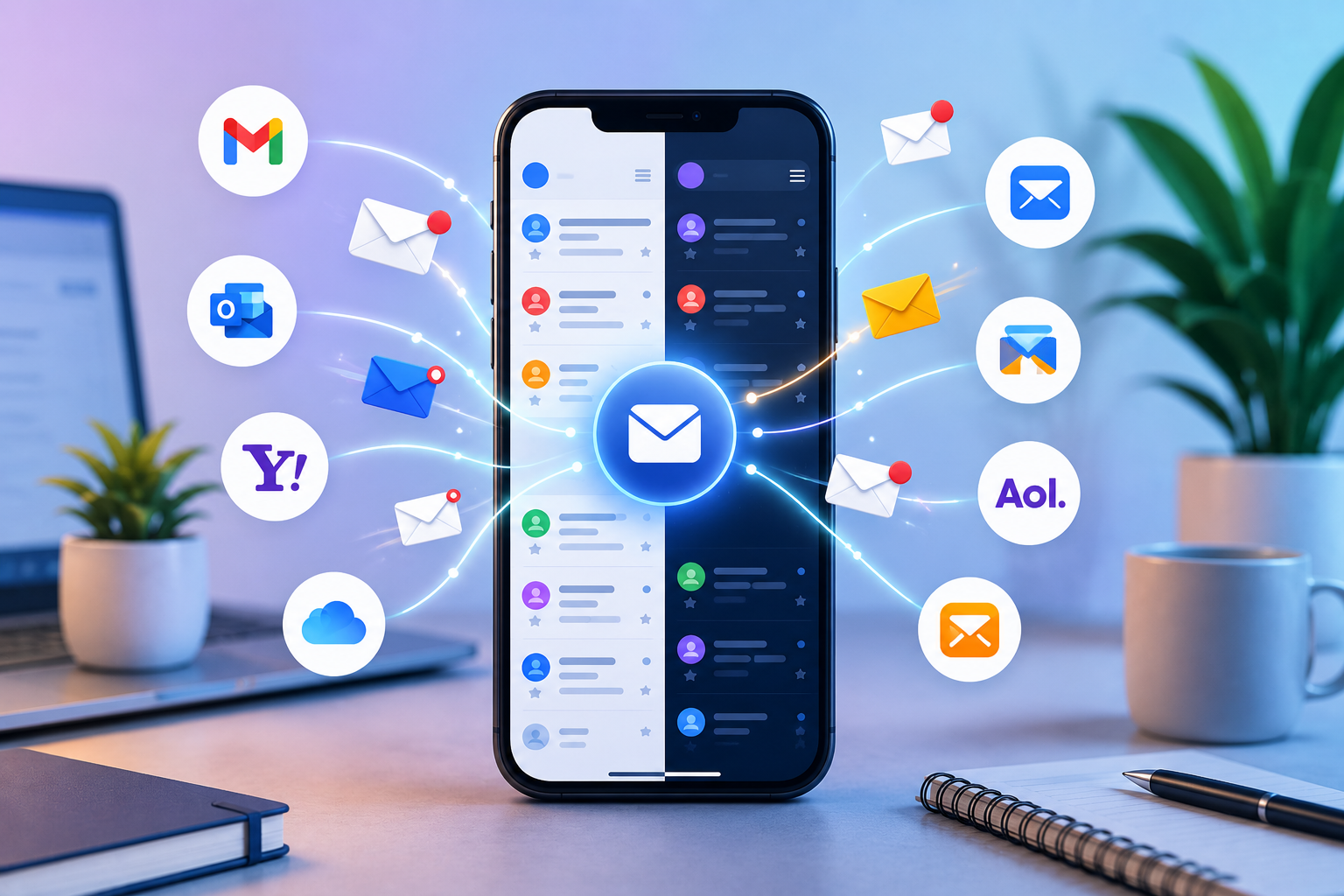
One Inbox: Email Manager is designed around this idea. The Android app from Quantum4u allows users to connect multiple email accounts, manage messages from one application, receive real-time notifications, and use AI-assisted tools for writing and replying to emails. The official Quantum4U app page currently lists support for more than 13 major email providers, AI-powered email drafting, email templates, a ChatGPT-powered assistant, and notifications for important messages.
For people who regularly deal with multiple inboxes, an email manager app can help reduce the friction involved in everyday communication. Instead of treating every email account as a separate destination, a unified inbox creates a more centralized workflow.
Why Managing Multiple Email Accounts Can Be Difficult
Having multiple email addresses is common today. A person may have one account for professional communication, another for personal messages, and additional accounts for newsletters, online services, education, shopping, or business activities.
The problem isn't necessarily having multiple accounts. The challenge is remembering to check all of them consistently.
For example, imagine that you use:
Email Account | Typical Purpose |
|---|---|
Work email | Clients, colleagues, meetings and projects |
Personal email | Friends, family and personal communication |
Secondary email | Online registrations and subscriptions |
Business email | Customers, vendors and business inquiries |
Education email | Courses, assignments and academic communication |
Checking these accounts independently can create unnecessary interruptions. You may open one email app, check for new messages, switch to another application, search through another inbox, and then return to the first one to respond.
Over time, this fragmented workflow can make email management feel like a task of its own.
A recent guide on managing multiple email accounts highlights the same problem: people using several inboxes can miss follow-ups or spend unnecessary time looking for messages simply because communication is distributed across different accounts.
A unified email application addresses this problem by bringing multiple accounts into one interface.
What Is One Inbox: Email Manager?
One Inbox: Email Manager is an Android email management application developed by Quantum4u. Its primary purpose is to let users access and manage multiple email accounts from a single app rather than repeatedly switching between separate applications.
The official Quantum4U product page describes it as an email app that brings email accounts together in one place. It supports multiple providers, real-time notifications, AI-assisted email generation, smart templates, and other features designed to simplify everyday email communication.
The Google Play listing also describes the app as a solution for reading and managing email from one application, with support for major providers such as Gmail, Outlook, Yahoo Mail and iCloud.
This makes the app relevant for anyone searching for a way to manage multiple email accounts without constantly moving between different inboxes.
Key Features of One Inbox: Email Manager
One Inbox focuses on combining account management, communication and AI-assisted writing into one workflow.
Here are some of its main features.
1. Manage Multiple Email Accounts
The most important feature is the ability to connect multiple email accounts within the same application.
Instead of treating every account as a completely separate workflow, users can access their connected accounts through one email management app.
This can be particularly useful for people who maintain separate work and personal email addresses.
For example, a freelancer might receive project inquiries through one account and personal communication through another. A small business owner could have separate addresses for customers, orders and administration.
Having access to these accounts in one place can make routine email checking more convenient.
2. Support for Multiple Email Providers
One Inbox is not designed around just one email provider. The official product information states that it supports more than 13 major email providers.
The Google Play listing specifically mentions services including Gmail, Yahoo Mail, Outlook and iCloud, alongside other supported providers.
This is useful because users don't necessarily use the same provider for every account.
Email Provider | Why Users May Use It |
|---|---|
Gmail | Personal and professional communication |
Outlook | Business and Microsoft ecosystem |
Yahoo Mail | Personal and long-term email accounts |
iCloud | Apple users and personal communication |
AOL Mail | Personal email |
Zoho Mail | Business and professional communication |
Alternative personal email | |
Microsoft services | Work and productivity workflows |
The exact provider availability can change over time, so users should check the current app listing before connecting an account.
3. AI-Powered Email Drafting
Writing an email from scratch can take longer than expected, especially when the message needs to sound professional.
A short email may require choosing the right greeting, explaining the situation, asking for an action, and ending with an appropriate closing.
One Inbox includes an AI-powered email writing feature intended to help users create professional messages more quickly. The official app page describes AI-powered email drafting and a ChatGPT-powered assistant for personalized emails.
The Google Play listing similarly highlights AI-assisted drafting for professional messages.
For example, instead of starting with an empty screen, a user could provide the basic purpose of an email and use AI assistance to help structure the message.
This can be useful for:
Professional replies
Meeting requests
Follow-up emails
Customer communication
Formal requests
Thank-you emails
Workplace messages
Personal emails
AI doesn't remove the need for reviewing a message. Users should still check names, dates, attachments, facts and tone before sending an email.
4. Smart Email Templates
Not every email needs to be written from scratch.
Many people repeatedly send similar types of messages, such as follow-ups, appointment requests, customer responses, status updates or professional introductions.
One Inbox includes a collection of tailored email templates according to the official product page.
Templates can help reduce repetitive writing and provide a starting point when users know what they want to communicate but don't want to recreate the structure every time.
5. Real-Time Notifications
Timely notifications can be important when an email requires a quick response.
One Inbox lists real-time notifications for important messages among its key features.
For professionals, this can be useful when waiting for a client response, interview update, meeting confirmation, project approval or other time-sensitive communication.
However, notifications should be configured thoughtfully. Too many alerts can create another source of distraction.
A good email workflow is not about responding to every notification immediately. It is about making sure important communication doesn't get overlooked.
6. Quick Email Replies
The app is also designed to make replying easier. Its product information highlights tools for writing mail, replying quickly, improving email tone and generating professional messages.
This can be particularly helpful when the user knows what they want to say but needs help making the message clearer or more professional.
For example:
"Send the updated document tomorrow."
could be turned into a more polished message such as:
"Hi, I’ll share the updated document with you by tomorrow. Please let me know if you need any additional information in the meantime."
The purpose isn't to make every email unnecessarily formal. Rather, AI assistance can help users adjust the wording based on the situation.
One Inbox vs Managing Email Accounts Separately
A unified email manager is not necessarily a replacement for every email provider's official application. Instead, its main advantage is convenience.
Consider the difference between these two workflows.
Traditional Multi-App Workflow
Open email application A.
Check unread messages.
Reply to important emails.
Close the app.
Open email application B.
Check another inbox.
Switch to application C.
Search for another message.
Repeat the process throughout the day.
Unified Email Workflow
Open one email management application.
Access connected email accounts.
Review incoming messages.
Reply or draft messages.
Receive notifications in the same application.
This difference becomes more noticeable as the number of accounts increases.
Factor | Separate Email Apps | One Inbox Approach |
|---|---|---|
Multiple accounts | Usually managed separately | Centralized in one app |
App switching | More frequent | Reduced |
Email drafting | Depends on each app | AI-assisted drafting available |
Templates | Provider dependent | Tailored templates available |
Notifications | Distributed across apps | Centralized experience |
Daily workflow | More fragmented | More consolidated |
Best for | Users with one primary account | Users managing several accounts |
The right choice depends on personal preferences, security requirements and how many accounts a person manages.
Who Can Benefit From a Multiple Email Account Manager?
A centralized email application can be useful for different types of users.
Professionals
Professionals often deal with work-related messages throughout the day. Some may also maintain separate personal or secondary accounts.
A single email manager can reduce the need to move between applications when checking communication.
Freelancers
Freelancers may have one account for clients, another for personal communication, and perhaps another associated with a portfolio or business.
AI-assisted writing can also be useful when responding to client inquiries, sending proposals or following up on projects.
Small Business Owners
Small business owners frequently handle multiple types of communication, including customer questions, vendors, service providers and administrative messages.
Centralized access can make it easier to monitor different inboxes without repeatedly opening separate apps.
Students
Students may use separate accounts for personal communication, college communication, assignments and online services.
An email management app can provide a more convenient way to keep track of these accounts.
People With Personal and Work Accounts
Even users who don't manage business operations may simply want to keep personal and professional communication accessible from one place.
How AI Can Improve Email Productivity
Email is not just about receiving messages. A significant amount of time can also be spent writing replies.
AI-powered email tools can help with some of the repetitive parts of this process.
For example, an AI email assistant can help users:
Create a first draft
Make a message more professional
Improve clarity
Change the tone
Create a short response
Structure a longer message
Generate a reply based on a specific purpose
One Inbox integrates AI-assisted email generation directly into its email management experience.
This can be especially useful when the user knows the information they need to communicate but struggles with wording.
Example: Professional Follow-Up
Instead of spending several minutes thinking about how to phrase a follow-up, a user can provide the basic context and use AI to create a draft.
The user can then review it and make any necessary changes before sending.
This creates a simple workflow:
Idea → AI draft → Human review → Send
The human review step remains important because AI-generated content can occasionally misunderstand context or produce wording that isn't appropriate for the recipient.
How to Organize Multiple Email Accounts More Effectively
Using an email management app is only one part of good inbox organization.
A few simple habits can make a unified inbox more useful.
Keep Work and Personal Priorities Clear
If multiple accounts are connected, decide which accounts require immediate attention and which can be checked less frequently.
For example:
Account Type | Suggested Priority |
|---|---|
Work/Client | High |
Business | High |
Education | Medium |
Personal | Medium |
Newsletters | Low |
Shopping/Promotions | Low |
This approach can help prevent less important messages from competing with urgent communication.
Use Templates for Repetitive Messages
If you repeatedly write the same type of email, a template can save time.
Examples include:
Interview invitations
Appointment confirmations
Meeting follow-ups
Customer responses
Project updates
Document-sharing messages
Review AI-Generated Emails Before Sending
AI can speed up drafting, but users should always check the final email.
Look for:
Incorrect names
Wrong dates
Missing attachments
Incorrect facts
Unnecessary statements
Incorrect tone
A few seconds of review can prevent avoidable communication mistakes.
Avoid Notification Overload
Real-time notifications are useful when messages are important, but constant alerts can interrupt focused work.
Use notification settings carefully and prioritize accounts or messages that genuinely require quick attention.
Is One Inbox Better Than Using Separate Email Apps?
There isn't a single answer for everyone.
Someone with one Gmail account may not need a dedicated multiple-account email manager.
However, the situation changes when a user regularly handles several email addresses.
The main advantage of One Inbox is consolidation. Instead of opening multiple applications, users can access their connected accounts through a single interface.
User Situation | Separate Apps | One Inbox |
|---|---|---|
One email account | Suitable | Suitable |
Two email accounts | Possible | Convenient |
Three or more accounts | Can become fragmented | More centralized |
Frequent professional emails | Suitable | Useful |
Frequent email drafting | Provider dependent | AI-assisted |
Repetitive email writing | May require external tools | Templates + AI |
Multiple providers | More switching | Centralized access |
The decision ultimately depends on how much email the user handles and how much convenience they want from a unified workflow.
Security and Privacy Considerations
Email applications handle sensitive information, so security should always be considered when choosing an email management tool.
The Google Play listing for One Inbox states that data is encrypted in transit and provides information about the categories of data the app may collect or share.
The listing also states that the developer describes AI-driven processes as remaining on-device. Users should review the current privacy disclosures and permissions before using the application, particularly because app policies and features can change over time.
When connecting an email account to any third-party email client, users should consider:
What permissions the app requests.
What information the app collects.
How authentication is handled.
What data is transmitted.
Whether the provider supports the required authentication method.
The application's current privacy policy and terms.
These checks are important regardless of which email management app a user chooses.
One Inbox for Work and Personal Productivity
Email productivity isn't simply about answering more emails.
The real goal is to spend less time dealing with unnecessary friction.
For a professional, this could mean checking work and personal accounts without repeatedly switching applications.
For a freelancer, it could mean writing a client response faster.
For a student, it could mean keeping several accounts accessible from one place.
For a small business owner, it could mean reducing the number of separate inboxes that need to be monitored.
The combination of centralized email access, AI drafting and templates makes One Inbox particularly relevant to users who want a more streamlined email workflow.
One Inbox vs Traditional Email Management: A Practical Comparison
Here is a broader comparison based on everyday use.
Feature | Traditional Separate Apps | One Inbox: Email Manager |
|---|---|---|
Manage multiple accounts | Yes, but separately | Yes |
Centralized access | Limited | Yes |
Multiple email providers | Usually separate apps | 13+ providers listed |
AI email drafting | Depends on provider | Available |
AI email assistant | Depends on provider | Available |
Email templates | Provider dependent | Available |
Real-time notifications | Yes | Yes |
Work + personal accounts | Possible | Designed for multiple accounts |
Reduced app switching | No | Yes |
Quick replies | Provider dependent | Supported |
Professional email generation | Depends on tools | AI-assisted |
The table shows why a unified approach can be attractive for users who regularly work across multiple inboxes.
How One Inbox Can Save Time
Consider a simple example.
Suppose a user checks four email accounts three times each day.
If each account requires opening a separate application, the user is repeatedly performing the same actions:
Open → Check → Switch → Check → Switch → Check
Even if each switch takes only a few seconds, the interruptions can add up.
More importantly, context switching can make email feel more complicated than it needs to be.
A unified email application changes the workflow to:
Open One Inbox → Review accounts → Respond → Continue working
The biggest advantage isn't necessarily the number of seconds saved on every action. It is the reduction in fragmented attention.
Why AI Email Writing Is Becoming Useful
Writing is one of the most time-consuming parts of email communication.
A user might know exactly what they want to say but struggle to make the message concise, polite or professional.
AI can act as a writing assistant in these situations.
For example, a user can start with:
"Need to tell client project will be delayed by two days because testing is taking longer."
An AI-assisted email generator can turn the idea into a structured professional draft.
The user can then edit the content to make sure it accurately represents the situation.
This is different from blindly sending an AI-generated message. The best workflow is to use AI for speed while keeping the final decision with the sender.
Tips for Better Email Productivity With One Inbox
To get the most out of a centralized email manager, users can follow a few practical habits.
1. Connect Only Relevant Accounts
You don't necessarily need every old email account inside the same application.
Start with the accounts you actively monitor.
2. Prioritize Important Communication
Work, client and business accounts may need more frequent attention than promotional accounts.
3. Use AI for First Drafts
Instead of asking AI to write everything perfectly, use it to create a strong first draft.
4. Personalize the Final Message
Add specific context, names and details before sending.
5. Keep Notifications Under Control
Use real-time alerts for messages that matter rather than allowing every notification to interrupt your day.
6. Review Security Information
Before connecting an account, check the application's current privacy policy, permissions and data safety information.
Final Thoughts
Managing several email accounts doesn't have to mean managing several disconnected workflows.
For users with multiple inboxes, switching between applications can create unnecessary friction and make it easier to overlook important messages. A centralized email management approach provides a simpler alternative by bringing different accounts into one place.
One Inbox: Email Manager combines multiple-account email access with AI-powered drafting, email templates, quick replies and real-time notifications. The official Quantum4U product page lists support for more than 13 email providers and positions the app as a way to manage everyday email communication from one interface.
Its AI writing capabilities can be particularly useful for people who spend a significant amount of time composing professional messages. Instead of starting every email from a blank screen, users can generate a draft, adjust the tone and personalize the final message before sending it.
The app is not about replacing the need for thoughtful communication. Instead, it aims to remove some of the repetitive work surrounding email management.
If you regularly move between Gmail, Outlook, Yahoo Mail, iCloud or other email accounts, a unified inbox can make the daily process more organized and convenient.
For anyone looking for a multiple email account manager, AI email writer or centralized email app for Android, One Inbox: Email Manager is worth exploring as part of a more streamlined digital communication workflow.