Learn how to convert multiple images to PDF easily with PDFPilot4U, perfect for assignments, reports, and document sharing.
Introduction
In today's digital world, we often find ourselves needing to combine multiple images into a single document. Whether it's for an assignment, a business report, or sharing important documents, having a reliable Images to PDF Converter at your disposal can make your life much easier. In this guide, we'll explore the benefits of converting images to PDF and show you how to do it efficiently using PDFPilot4U.
Why Convert Images to PDF?
Converting images to PDF format offers several advantages:
Universal Compatibility: PDFs can be opened on any device without losing formatting.
Security: PDFs can be password-protected, ensuring sensitive information remains secure.
Reduced File Size: PDFs often take up less space compared to multiple image files.
Professional Appearance: PDFs look more polished and are the preferred format for many businesses.
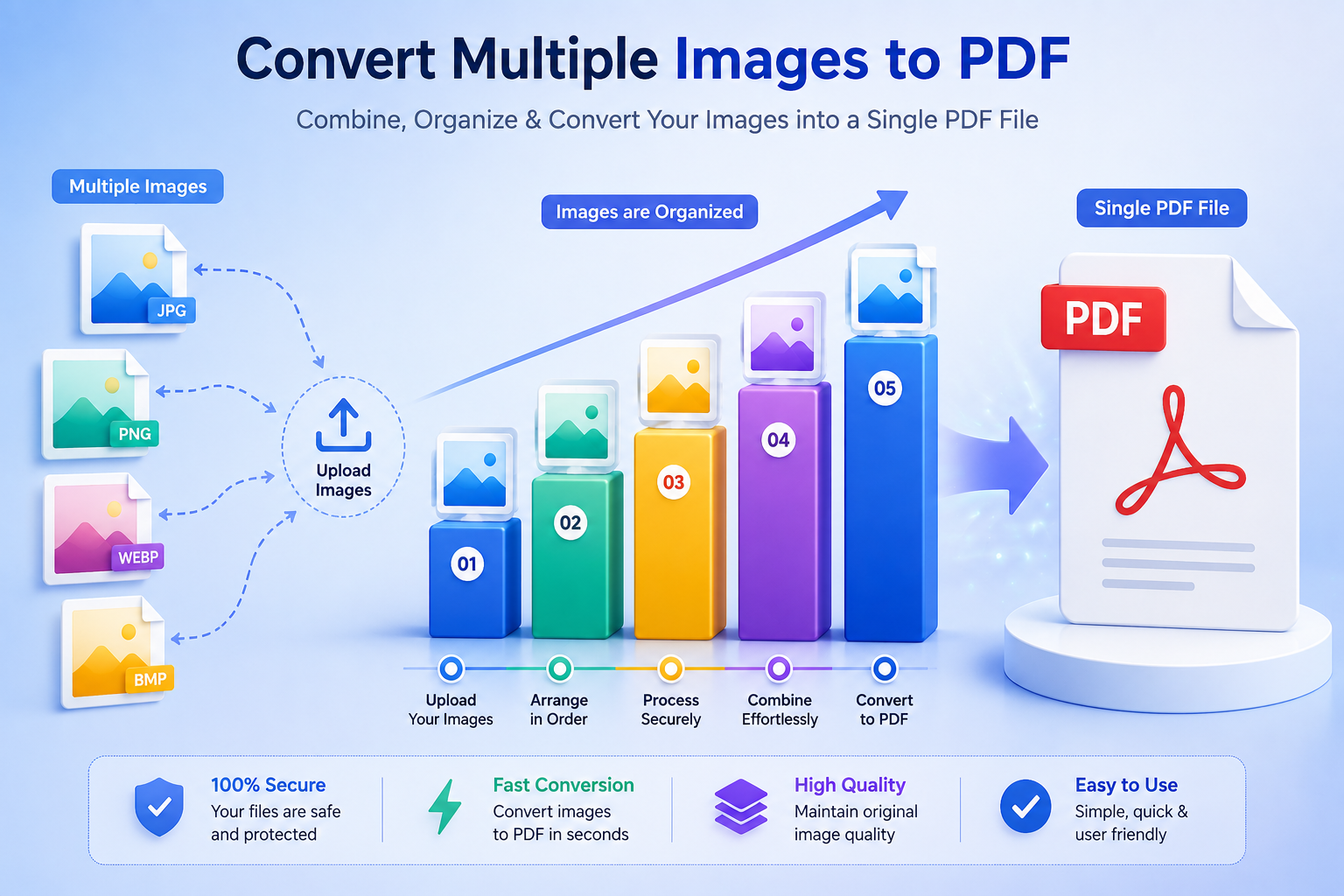
PDFPilot4U supports a variety of image formats:
Format | Supported |
|---|
JPG | Yes |
PNG | Yes |
JPEG | Yes |
WEBP | Yes |
GIF | Yes |
BMP | Yes |
Benefits of Using an Images to PDF Converter
Utilizing an Images to PDF Converter provides numerous benefits:
Efficiency: Quickly merge multiple images into one PDF.
Ease of Use: User-friendly interfaces make it simple to convert images.
Customizable Options: Adjust settings like page orientation and size.
Online Access: Convert images to PDF from anywhere with an internet connection.
How to Convert Images to PDF (Step-by-Step Guide)
Follow these simple steps to convert your images:
Visit the PDFPilot4U website.
Select the option to Convert Images to PDF.
Upload your JPG, PNG, or other supported image files.
Arrange the images in your desired order.
Click on the Create PDF button.
Download your newly created PDF file.
Some noteworthy features include:
High-Quality Output: Ensure that your images retain their original quality.
Batch Processing: Convert multiple images at once for added convenience.
Free Image to PDF Converter: No hidden fees or subscriptions required.
Secure Conversion: Your images are deleted from our servers after conversion.
Common Use Cases
Here are some scenarios where converting images to PDF is beneficial:
Assignments: Combine images for presentations or reports.
Business Reports: Include scanned documents in a professional format.
Invoices: Merge receipts and bills for easier tracking.
ID Proofs: Keep important documents in one secure file.
Tips for Better PDF Quality
To achieve the best results when converting images to PDF, consider the following tips:
Use high-resolution images to maintain quality.
Adjust image orientation before conversion if necessary.
Check the file size and adjust settings to meet requirements.
Why Choose PDFPilot4U?
PDFPilot4U stands out for several reasons:
User-Friendly Interface: Easy to navigate and use.
Fast Conversion: Quick processing times for your convenience.
Strong Security Measures: Protecting your data is our priority.
Security & Privacy
Your privacy matters. At PDFPilot4U, we ensure:
All uploaded files are deleted after conversion.
No personal data is stored or shared.
Secure connections for all transactions.
Works on Desktop & Mobile
PDFPilot4U is accessible on any device, allowing you to convert images to PDF anytime, anywhere. Whether you're using a desktop or mobile device, the process remains seamless and efficient.
Conclusion
Converting images to PDF has never been easier with PDFPilot4U. Whether for personal, academic, or business needs, our online tool delivers fast, secure, and high-quality PDF conversion while preserving your image quality. If you also need to convert Word documents, try our Word to PDF Converter for quick and accurate DOC/DOCX to PDF conversion. With PDFPilot4U, you can handle all your document conversion needs from one convenient platform. Try it today and simplify your document management workflow!