How to Organize Photos on Android Without Endless Scrolling
Our phones have become personal photo archives.
Travel pictures, screenshots, family moments, selfies, receipts, downloaded images, work files, pet photos and random screenshots all end up in the same gallery.
Taking a photo takes seconds.
Finding it six months later can take much longer.
That is why the real problem is often not photo storage.
It is photo discovery.
When a gallery contains thousands of images, scrolling by date alone is no longer the easiest way to find a memory.
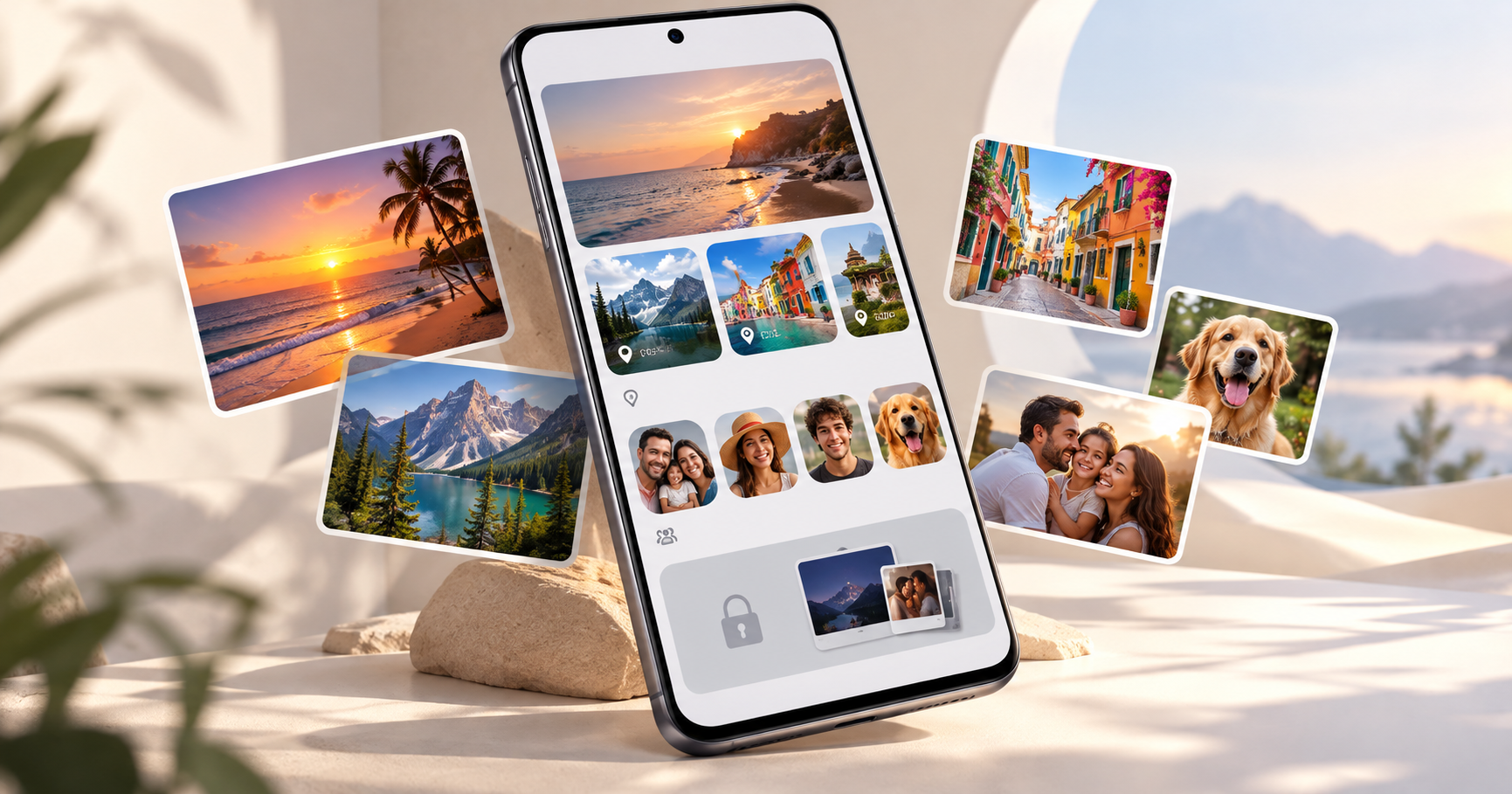
A better system combines albums, people, places and privacy tools so you can locate the right photo without searching endlessly.
Why Android Galleries Become Difficult to Manage
A gallery usually becomes cluttered gradually.
You take a few photos today.
Save a screenshot tomorrow.
Download several images from a messaging app.
Take 200 photos on a holiday.
Within months, the collection becomes large enough that simple chronological browsing starts to feel inefficient.
The problem becomes especially obvious when you remember the context of a photo but not the exact date.
You might remember:
The trip where you took it
The city you were visiting
The person in the photo
The event where it happened
But you may have no idea whether it was taken in February or April.
That is why smarter photo organization should reflect the way people actually remember their memories.
Four Common Ways to Find Photos
Different methods work for different situations.
Method | Best For | Main Limitation |
|---|---|---|
Date / Timeline | Recent photos | Difficult when you don't remember the date |
Manual Albums | Weddings, trips, projects | Requires ongoing manual organization |
People-Based View | Finding photos of family or friends | Depends on supported photo recognition |
Location-Based View | Travel and place-related memories | Depends on available location information |
There is no single method that works perfectly for every photo.
The most practical gallery combines several of them.
1. Start With Date-Based Browsing
Chronological browsing is still useful.
If you know you took a photo yesterday, last weekend or during a recent event, browsing by date is usually the fastest method.
The problem appears when the memory is older.
Imagine trying to find a photo from a holiday two years ago.
You remember the beach.
You remember the hotel.
You may even remember who was there.
But you do not remember the exact month.
That is when other ways of browsing become much more useful.
2. Find Travel Photos by Location
Travel memories are naturally connected to places.
Instead of asking:
“What date did I take this photo?”
you are more likely to think:
“Where are my Goa photos?”
or:
“Show me the pictures from Manali.”
A find photos by location feature can make this easier when location information is available with the images.
For example, a gallery might help group available photos around locations such as:
Goa → Beach photos, cafés, sunset pictures
Jaipur → Palaces, markets, food photos
Manali → Mountains, snow, road-trip pictures
This makes location-based browsing especially useful for people who travel frequently.
The current Gallery - Vault & Photo Album feature set includes place-based photo discovery along with its main gallery experience. Google Play
View Gallery - Vault & Photo Album on Google Play
When Location-Based Photo Browsing Helps Most
It can be particularly useful for:
Vacations
Weekend trips
Road trips
Destination weddings
Family visits
Travel photography
Returning to favourite places
One important thing to remember is that location-based grouping depends on location data being available for the photo.
3. Find Photos by People
Sometimes the place does not matter.
The person does.
You may want to find:
Photos with your parents.
Pictures of your children.
Memories with your best friend.
Photos of the same person across several trips.
Searching manually through years of photos can take a long time.
People-based photo organization makes this type of search more intuitive.
The same Gallery app also includes people-based photo discovery as part of its broader organization features. Google Play
Instead of thinking about dates, you can think about who you want to see.
That is often much closer to how people naturally remember photographs.
4. Use Manual Albums Only Where They Add Value
Manual albums are still useful.
But creating an album for every small event can become another organizational task.
A better approach is to create albums only for major collections such as:
Wedding
Birthday
Portfolio
Work project
Favourite photos
Important documents
Major vacation
For everyday browsing, people, places and dates may already provide enough organization.
Manual Albums vs Smart Photo Discovery
Feature | Manual Albums | People/Location Discovery |
|---|---|---|
Setup required | Yes | Usually less manual effort |
Good for specific projects | Excellent | Moderate |
Good for old travel photos | Only if album already exists | Very useful |
Good for finding a person | Requires manual sorting | More convenient where supported |
Maintenance | Ongoing | Lower |
Best use | Curated collections | Rediscovering existing memories |
The best approach is not choosing one or the other.
Use both where they make sense.
5. Keep Private Photos Separate
Not every photo needs to appear in the main gallery.
Sometimes your phone may contain:
Personal pictures.
Private screenshots.
Documents.
Sensitive images.
Photos you do not want appearing while showing someone your gallery.
A private photo vault gives selected media a separate space.
This can help keep the main gallery cleaner while also reducing accidental exposure of personal content.
Gallery - Vault & Photo Album is positioned around both photo management and a dedicated private-vault experience. Google Play
The important point is to use a vault selectively.
It does not need to contain every image.
Keep it for content you specifically want separated from normal browsing.
6. Clean Screenshots and Downloads Regularly
One of the easiest ways to improve a gallery does not require any advanced feature.
Delete temporary screenshots.
We save screenshots of:
Tickets.
Products.
Directions.
Chats.
Social media posts.
Payments.
Booking information.
Most are useful for a short period.
Then they stay in the gallery forever.
A simple monthly cleanup can dramatically reduce clutter.
Try reviewing:
Screenshots
Downloads
Duplicate images
Temporary documents
Unwanted videos
Your important photos become easier to browse when temporary files are removed.
7. Do Not Delete Every Blurry Memory Immediately
Some of the most meaningful photos are not technically perfect.
Maybe someone moved.
The camera missed focus.
The lighting was poor.
Before deleting an important image, an enhancement or Unblur tool may be worth trying.
The Gallery app has also been positioned with photo editing/enhancement capabilities alongside photo organization and vault features. Google Play
Results naturally depend on the quality of the original image.
A photo-enhancement tool can improve some images, but it cannot perfectly recreate detail that was never captured.
Basic Gallery vs Smarter Photo Organizer
A standard phone gallery may be enough for someone with a small photo library.
But as the collection grows, additional organization features become more useful.
Capability | Basic Gallery | Smarter Gallery Experience |
|---|---|---|
View photos | ✓ | ✓ |
Browse by date | ✓ | ✓ |
Create albums | Usually | ✓ |
Find photos by people | May vary | Supported where available |
Find photos by location | May vary | Useful for travel memories |
Private vault | Often separate | Can be integrated |
Basic editing | Limited/varies | Can be built in |
Unblur/enhancement | Often separate | Can be included |
Best for | Small/simple libraries | Larger photo collections |
This does not mean everyone needs more features.
The right gallery depends on how many photos you have and how you normally look for them.
A Simple Photo Organization Routine
You do not need to reorganize your entire phone in one day.
A small routine is much easier to maintain.
Weekly
Remove obviously unnecessary screenshots and duplicates.
Monthly
Review downloads and temporary images.
After a Trip
Create one important album if needed, but also keep location information available where appropriate.
For Important People
Use people-based browsing where supported instead of manually creating separate albums for every person.
For Private Media
Move only selected sensitive content into a private vault.
The goal is not perfection.
The goal is making your photos easier to find.
How Different Users Can Organize Photos
User Type | Most Useful Approach |
|---|---|
Traveller | Location-based photo browsing |
Parents | People + event albums |
Students | Albums + screenshot cleanup |
Professionals | Separate work albums and documents |
Photography enthusiasts | Albums + favourites + editing |
Privacy-conscious users | Main gallery + private vault |
This is why a flexible gallery works better than relying on one organizational method.
What Should You Look for in an Android Gallery App?
A useful photo organizer should reduce friction rather than add more complexity.
Consider whether it helps you:
Browse photos quickly.
Organize important albums.
Find memories without endless scrolling.
Keep personal media separate.
Make simple edits.
Rediscover older photos.
For people with large galleries, people and place-based photo discovery can be especially useful.
Gallery - Vault & Photo Album brings together gallery browsing, vault functionality and broader photo-management features in one Android app. Google Play
Explore Gallery - Vault & Photo Album
Final Thoughts
A good photo gallery should do more than store files.
It should help you find memories again.
Dates are useful.
Albums are useful.
But when a photo collection becomes large, organizing and discovering memories through people and places can make browsing feel much more natural.
Instead of endlessly scrolling, the goal should be simple:
Remember the person. Remember the place. Find the photo.
That is a much more useful way to think about photo organization on Android.